User Interface
To accomplish a unified and easy to use user interface across the different
platforms, the package has some flutter widgets, that are rendered above the
map. These UI elements are just like every other Flutter widgets and can be used
in the children List of the MapLibreMap widget.
@override
Widget build(BuildContext context) {
  return MapLibreMap(
    // ...
    children: <Widget>[
      MapScalebar(),
      SourceAttribution(),
      MapControlButtons(),
      MapCompass(),
    ],
  );
}
See the styled map page of the example app for a full implementation.
All widgets inside the children List are within the MapLibreMap context and
have access to the following helpful functions.
MapController.maybeOf()MapController.of()CameraPosition.maybeOf()CameraPosition.of()
Source Attribution
Many sources require proper attribution to comply with their licensing or terms
of service. Use the SourceAttribution widget that fetches the attached
attributions and displays them on the map.

Map Compass
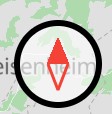
The MapCompass widget helps the user orientating by indicating north and
gives the user the open to reset the map rotation with a click on the compass.
Map Scalebar
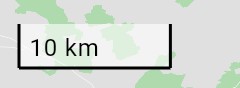
The MapScalebar widget shows the current scale of the map center for the
current latitude and zoom level.
Map Control Buttons
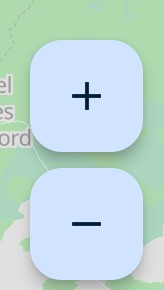
Zoom buttons are great for accessibility reasons and great for non-tech-savvy
users to navigate the map. You can use the MapControlButtons widget to render
the default zoom buttons on the map.
Set onTrackingPressed to show an additional location button, and tracking
to the tracking of your UserLocationLayer, which the button
shows. See User Location for an example.